 Collections Scheduler
Save time by scheduling and automating collections changes.
Schedule collection updates and avoid editing them by hand at the moment a campaign starts. Set a time for sales channels, the template suffix, the collection's title and description, how its products are sorted, and the collection image. Built for campaigns, seasonal offers, and catalog updates.
Everything you need
Sales channels, title, description, and image
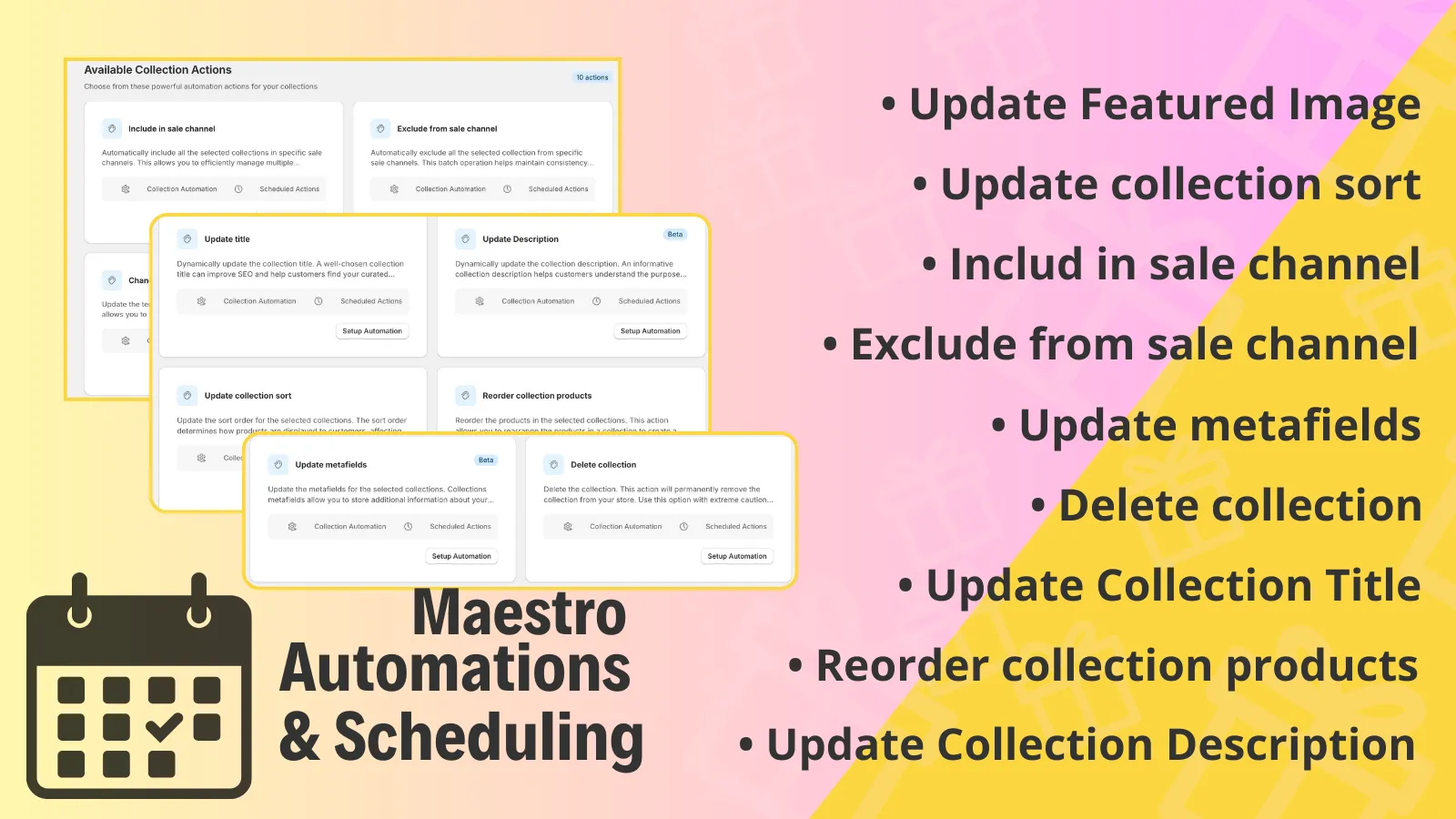
Schedule a collection's sales channels, title, description, and image, instead of changing them live.
Sort, and repeat it
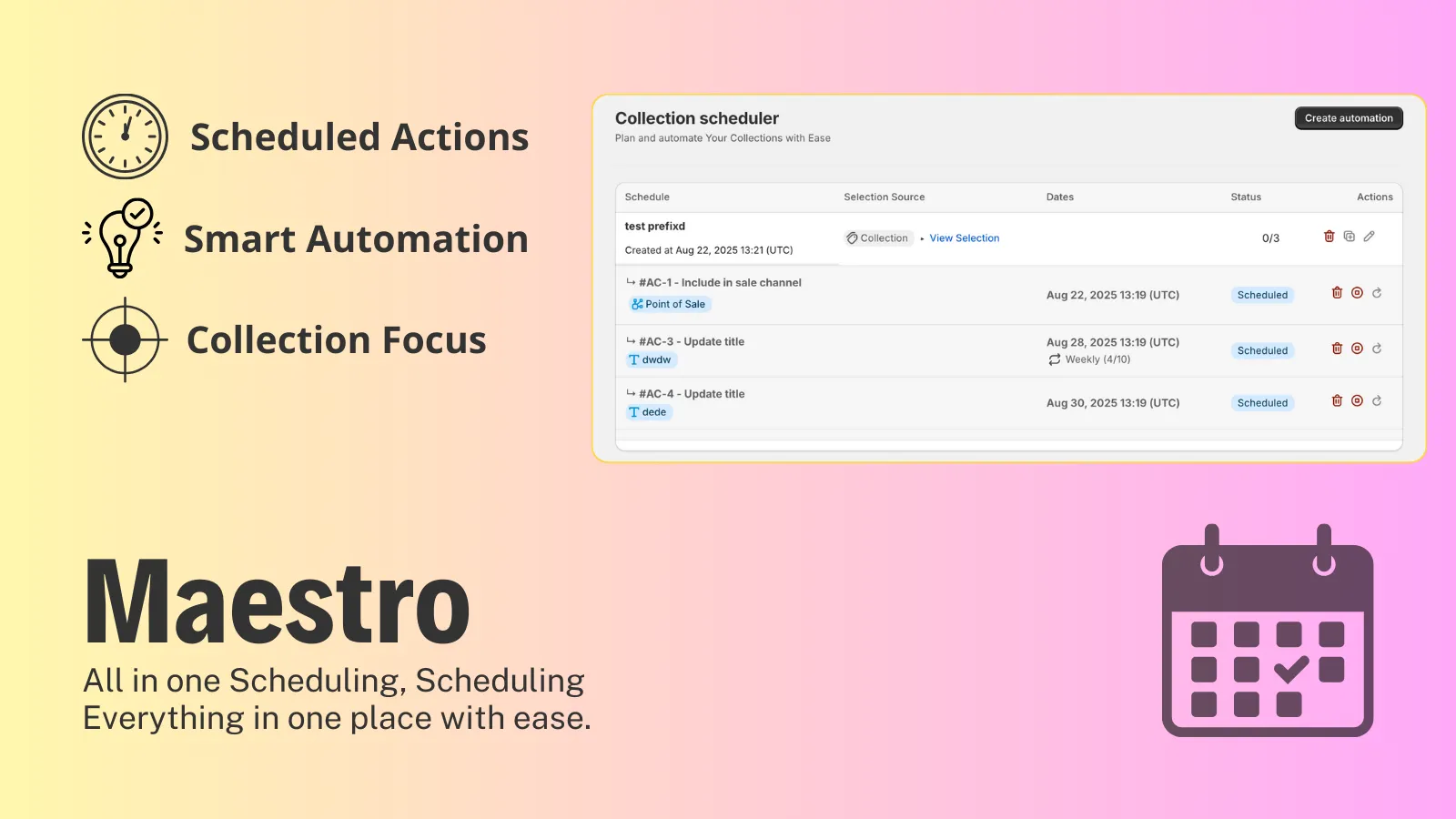
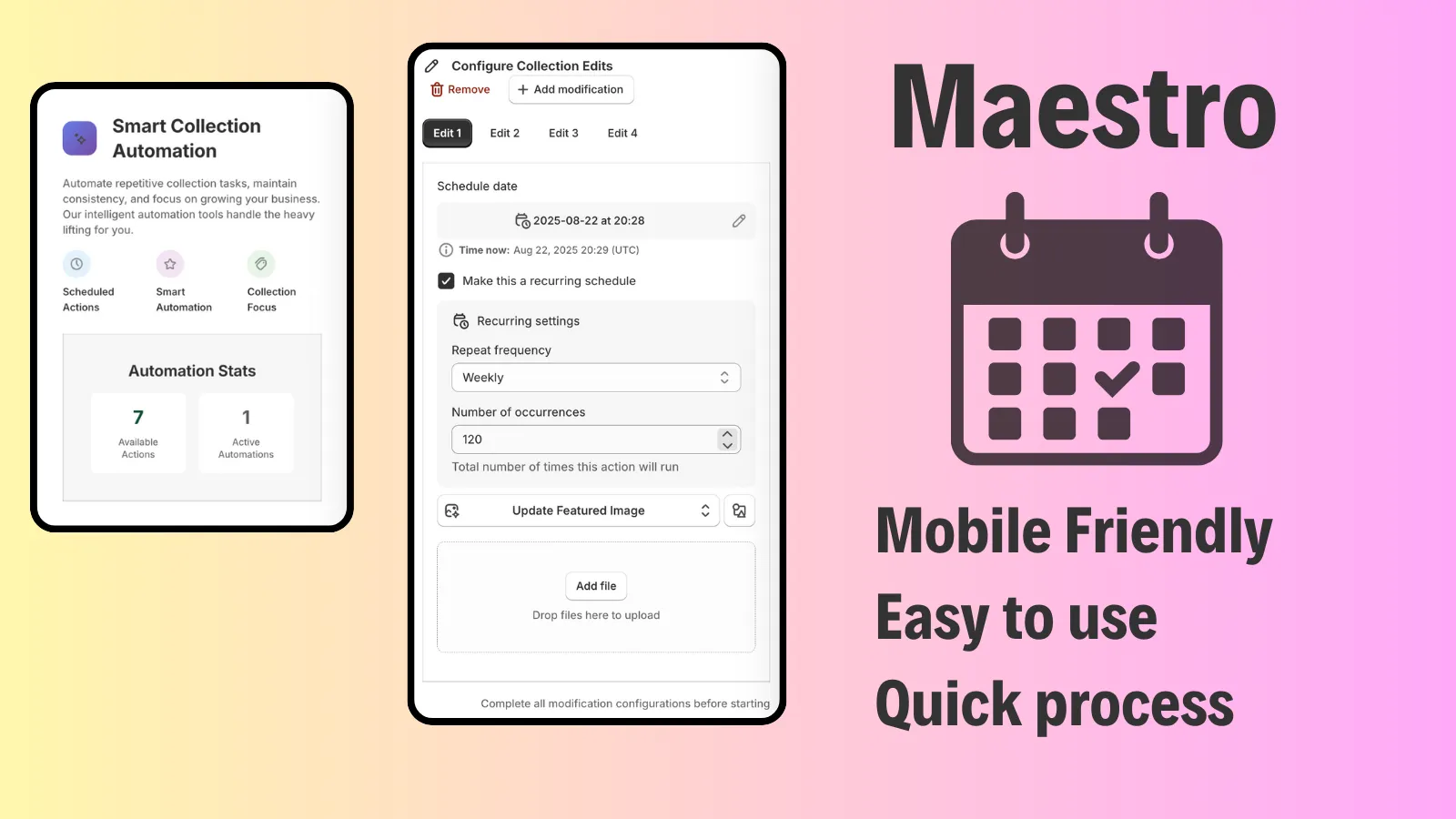
Schedule collection sorting, and run a change daily, weekly, every two weeks, or monthly.
Show or hide on a channel
Include a collection in a sales channel, or take it off that channel, at the time you set.
Template suffix
Switch the collection's template suffix when a campaign needs a different collection page.
One change, many collections
Apply the same schedule to more than one collection. Reordering products stays on a single collection.
See it in action
Simple, transparent pricing
Demo
$0
- ✓ Automate collection changes
- ✓ Batch schedule for collection changes
- ✓ Basic actions scheduling
- ✓ Standard live chat support
Advanced
Popular$4.99 /mo
- ✓ Unlimited collection scheduling
- ✓ Priority collection reordering
- ✓ Bulk collection updates
- ✓ Access to the scheduling timeline
- ✓ Advanced SEO scheduling
- ✓ Priority live chat support
- ✓ $50 a year, save 16%
- ✓ 3-day free trial
What changed
Changes that matter when you use Collections Scheduler. A new note is added when something is ready for your store.
More kinds of collection metafields
- A collection metafield change can use dates, JSON, languages, and references, as well as text and numbers.
Schedules in the menu, on the store's clock
- **Schedules** and **Schedule Collections** are in the app menu.
- The menu stays available while you pick a plan, and the plan chip opens the plan list.
- A new change uses the store's time, so a second change does not shift by the gap between your clock and the store's.
Collection templates stay on collections
- **Schedule Collections** lists collection changes.
- Metafield choices on that page are the collection's.
Start from a collection template
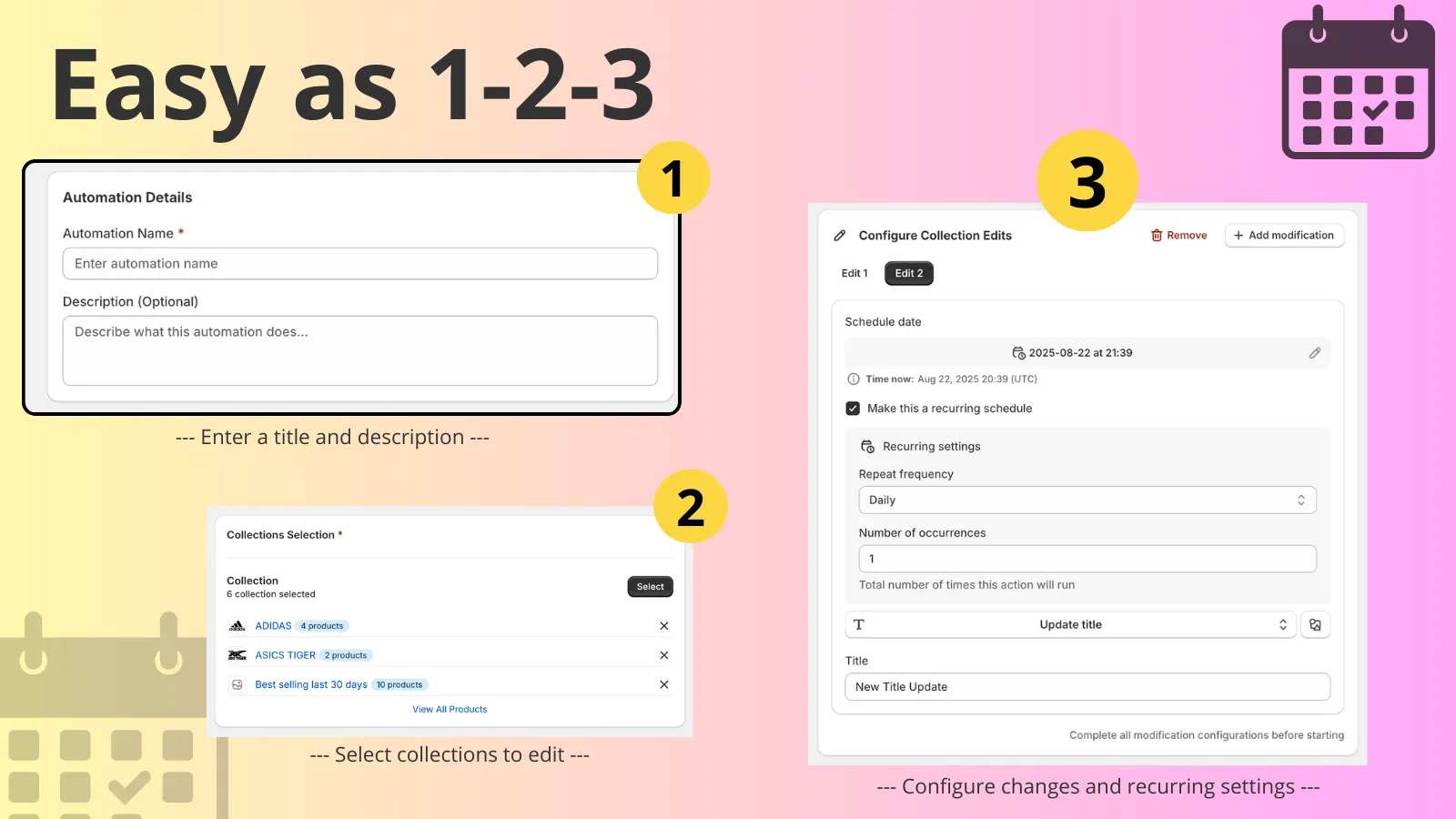
- Creating a schedule opens collection templates, so you start from a collection change.
Schedule the collection's search listing
- Set the search title and search description, and the time they should change.
A confirmation when the automation is saved
- Saving a collection automation shows a confirmation.
Collection changes on Get Started
- Get Started and the automation list show collection changes, grouped so you can start from the one you need.
Drag products, then lock the order
- Drag products into the order you want on a collection schedule.
- After that change has run, the order is shown and cannot be edited.
Schedule a product order
- You can schedule a new product order inside one collection.
Schedule the collection image
- Set the collection's featured image to change at a time you choose. This does not change product photos.
Schedule a collection to be removed
- You can schedule a collection to be deleted. It runs once and cannot be undone.
Repeat a collection change
- Run a collection change again each day, week, two weeks, or month, for a number of times you set.
Schedule how a collection is sorted
- Choose best selling, title, price, newest, oldest, or manual, and the time that order should apply.
Frequently asked questions
Is there a free plan? +
Yes. The App Store listing has a free Demo plan for automating collection changes, batch scheduling, and basic actions, with standard live chat. Advanced is $4.99 a month, or $50 a year (save 16%), with a 3-day free trial.
What can I schedule? +
Sales channels, the template suffix, the collection's title and description, how products are sorted, and the collection image. A change can run once or repeat. This app does not schedule product photos.
How is this different from Product Scheduler? +
Product Scheduler changes products. Collections Scheduler changes the collection: its channels, template, title, description, image, and sort.
How is this different from Rankify? +
Rankify keeps a collection ordered by what is selling and what is in stock. Collections Scheduler applies a change you choose, at a time you choose.
Can a change repeat? +
Yes. Daily, weekly, every two weeks, or monthly, for a number of times you set. Deleting a collection does not repeat. On the free plan, repeat and reordering can ask you to move to Advanced.
I only wanted to change the description. Will the products be replaced? +
Only the fields you set in the schedule change. Leave the product list untouched if it should stay.
Can this also change a product price? +
No. Product prices are Product Scheduler. This app changes the collection.
I saved and never saw a confirmation. +
The repeat was not saved. Open the schedule and save it again until you see the confirmation.
Can the repeat also change a product price? +
No. Change the collection here. Change a product price in Product Scheduler.
The products were replaced and I only wanted a new title. +
The product list was included in the schedule. Edit the schedule so only the title and description are set.
There was no confirmation. +
The schedule was not saved. Open it and save again until you see the confirmation.
Ready to try Collections Scheduler?
Save time by scheduling and automating collections changes.