 Theme Scheduler
Automate scheduling for sections, blocks, and theme publishing.
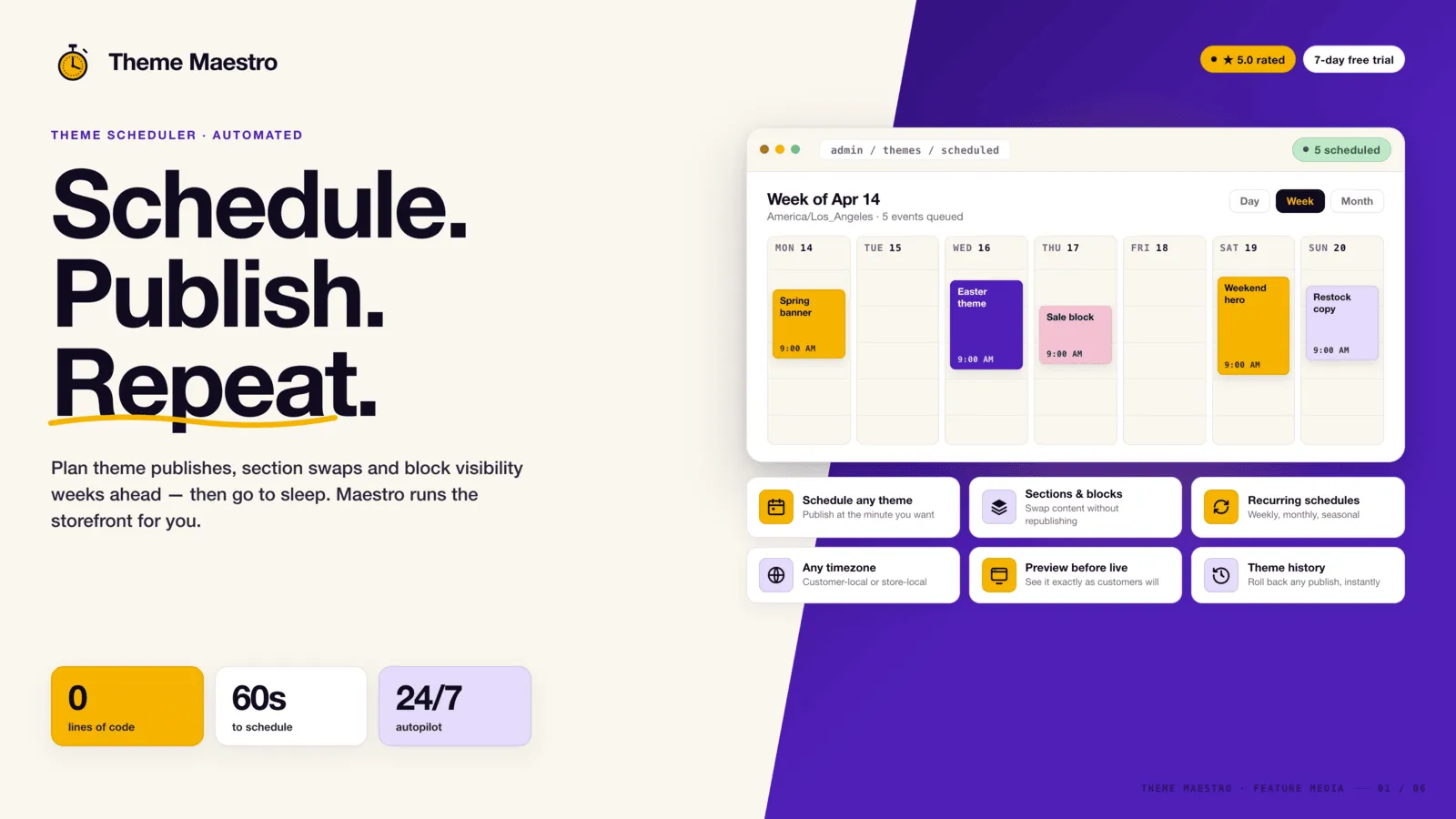
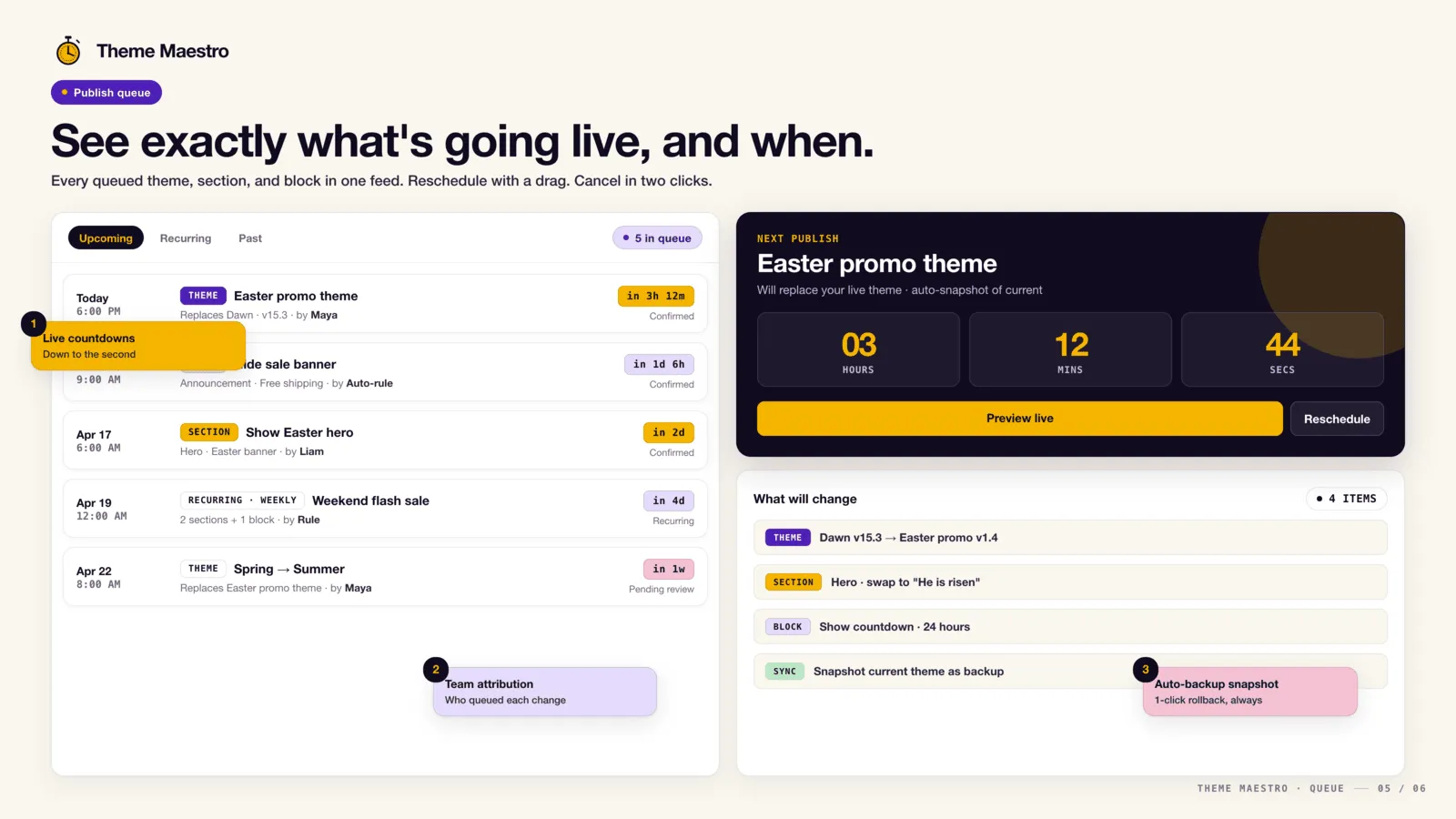
Schedule section, block, and theme changes in advance so promotions go live without a manual edit. Plan themes, sections, and blocks around your sales periods, and swap banners, images, slideshows, promotions, and the top bar. Made for Shopify and Shopify Plus, so the store stays current without someone publishing it by hand.
Everything you need
Publish a theme on time
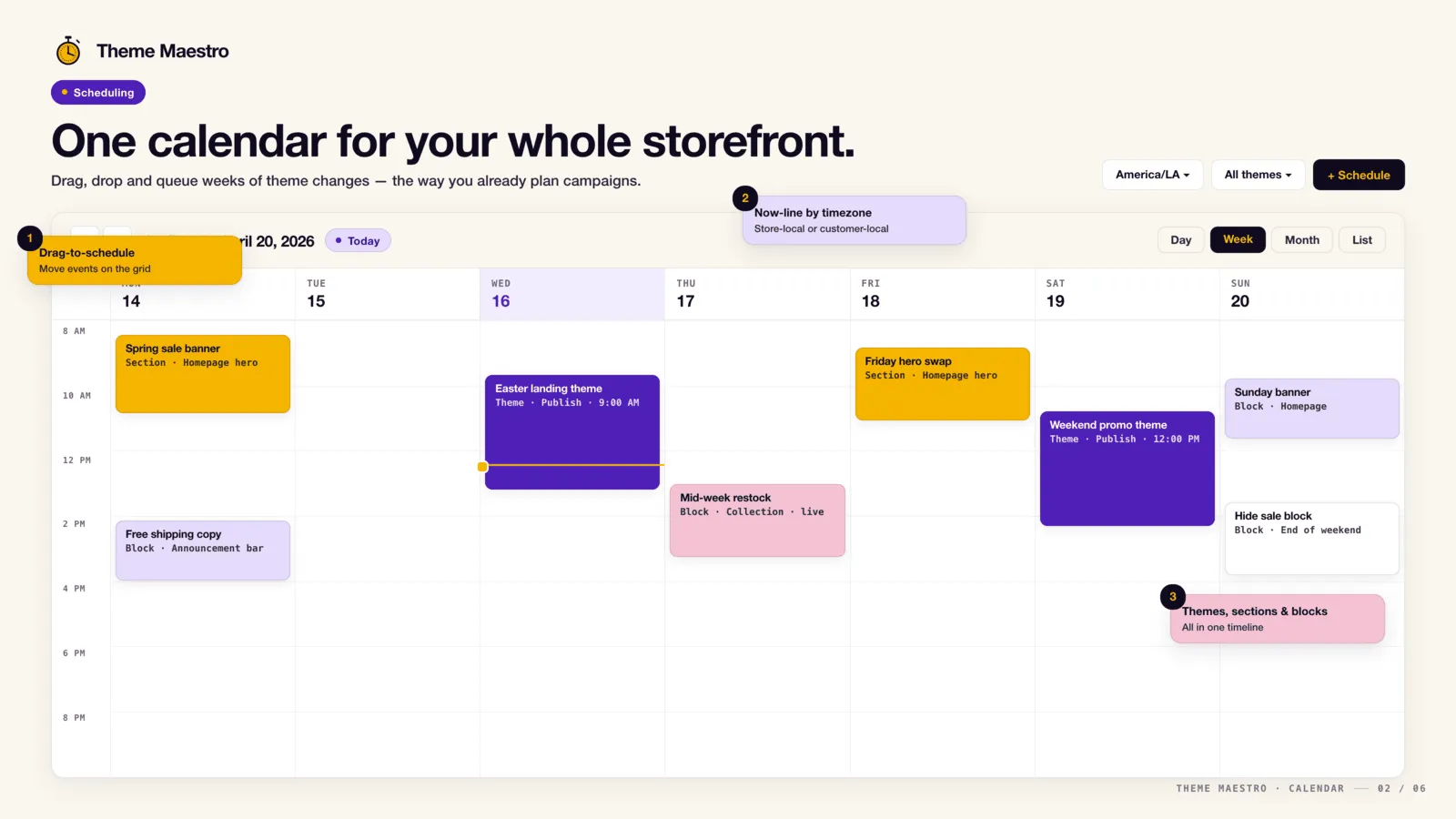
Schedule a theme to publish automatically at a set date and time.
Sections and blocks
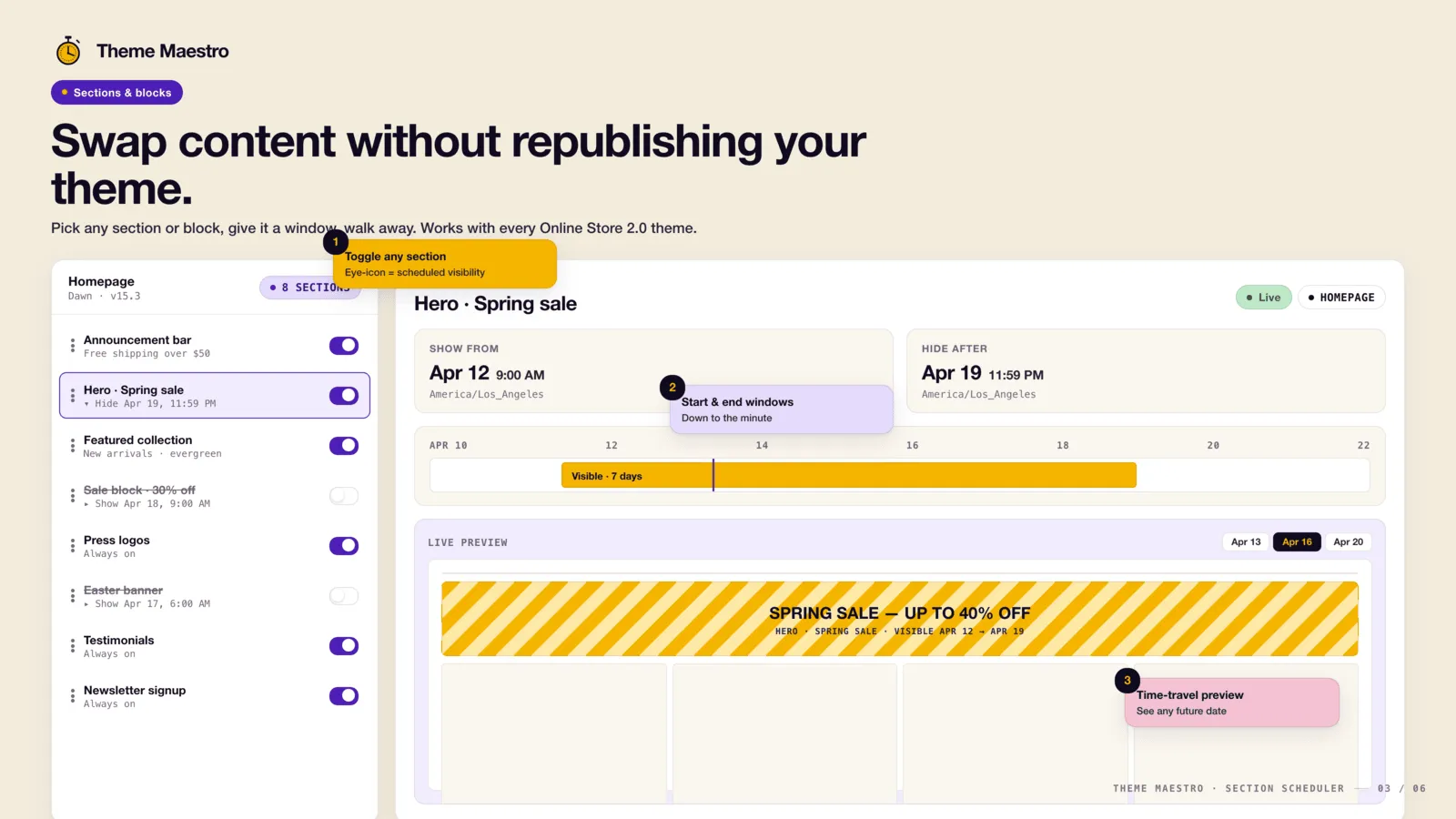
Show or hide individual sections and blocks without republishing your theme.
Banners, images, and top bars
Schedule banners, images, slideshows, and top bars to swap on a set date.
Repeating schedules
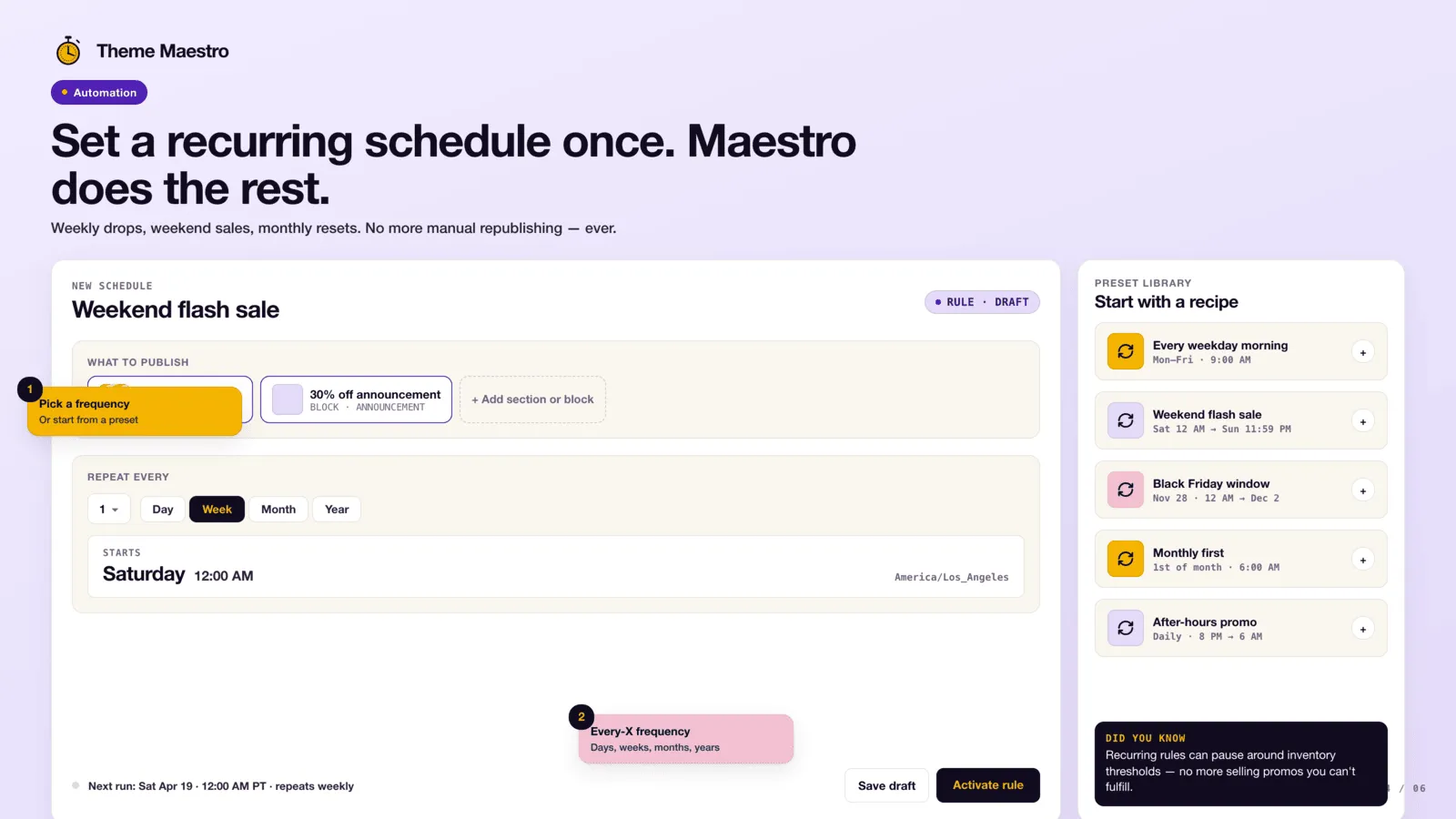
Run a schedule once, or repeat it every hour, day, week, two weeks, or month.
History
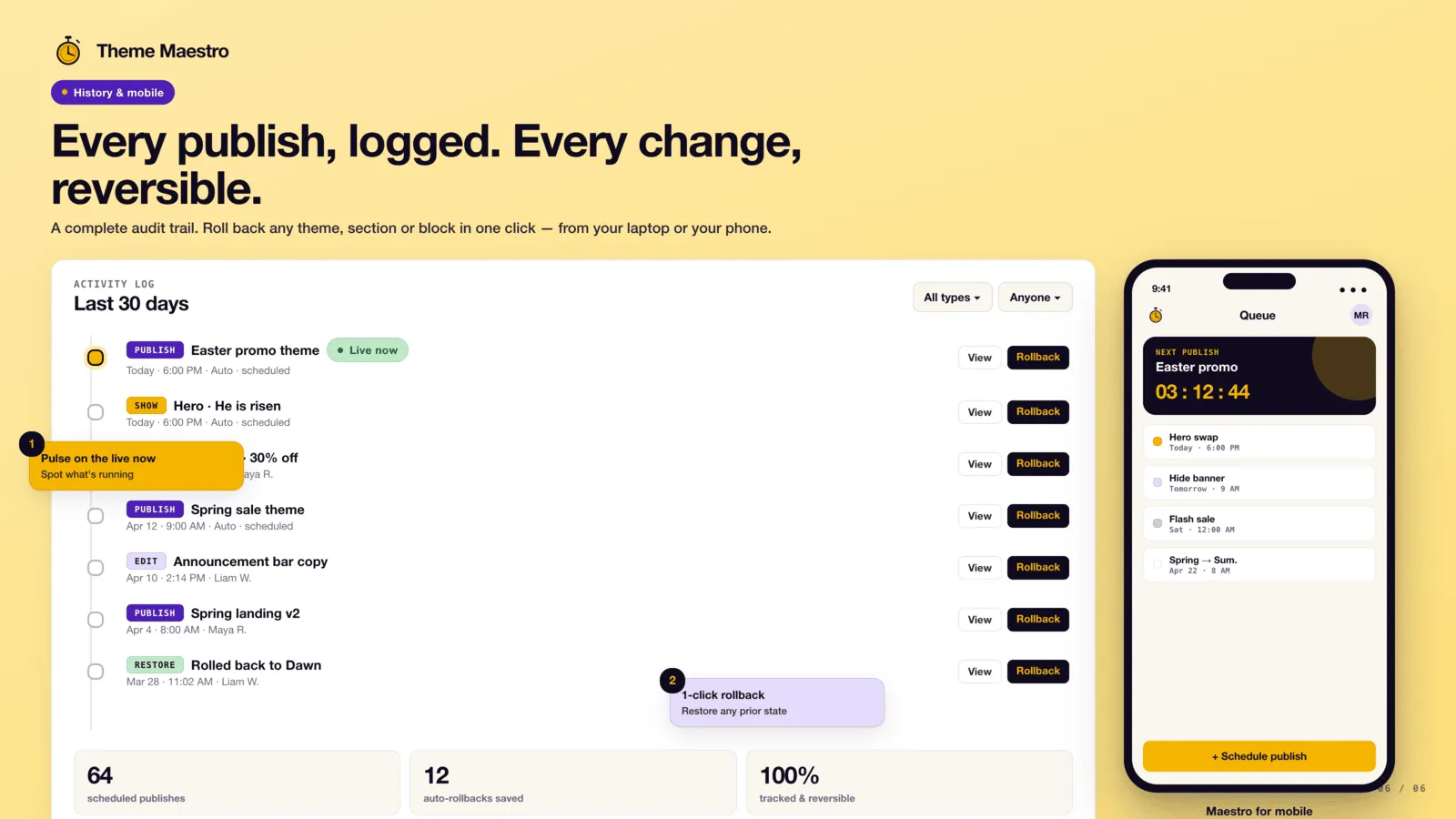
Review a history of every scheduled publish and content change.
See it in action
Loved by merchants
“This app is really easy to use and smart. It lets us schedule updates in advance, which is great for dealing with time zone differences in our team.”
“We are on the Maestro plan which gives us the ability to schedule specific sections and blocks versus having to publish an entire theme.”
“It works really well and support is outstanding.”
Simple, transparent pricing
Advanced
$9.99 /mo
- ✓ Unlimited theme publish schedules
- ✓ One sections-and-blocks schedule
- ✓ Theme publish history
- ✓ Recurring schedules
- ✓ Live chat support
- ✓ 3-day free trial
- ✓ Or $102 a year, save 15%
Maestro
Popular$49 /mo
- ✓ Everything in Advanced
- ✓ Unlimited sections and blocks scheduling
- ✓ Unlimited content and visibility schedules
- ✓ Unlimited recurring schedules
- ✓ Priority chat support
- ✓ 7-day free trial
- ✓ Or $468 a year, save 20%
What changed
Changes that matter when you use Theme Scheduler. A new note is added when something is ready for your store.
Your settings, apart from the theme preset
- The summary keeps the settings you changed apart from the theme's own preset.
Reorder a page, then set the time
- Drag sections and blocks into the order you want.
- Remove a block, or a section the theme lets you remove, as part of the same schedule.
- The summary says what will be removed or reordered.
The admin in more languages
- Portuguese, Hebrew, Arabic, and Simplified Chinese are available in the admin, with English, Spanish, French, and German.
- Hebrew and Arabic run right to left, and dates follow the language you pick.
Theme-wide settings on a schedule
- Schedule theme-wide settings, such as colors, for a date and time.
- The editor marks theme settings as still new.
Archive completed schedules
- Completed publishes can be archived so the list stays focused on what is still coming.
Publish a theme from Shopify Flow
- Publish a theme from a Shopify Flow workflow.
- After a scheduled publish runs, Flow can continue the work you set up.
A calendar of what is coming
- Switch the home list to a calendar of upcoming theme and content schedules.
Frequently asked questions
Do I have to publish the whole theme to change a banner? +
No. Show or hide a section or block, and swap banners, images, slideshows, and the top bar, without republishing the theme. Publishing a theme is a separate schedule for when a whole theme should go live.
Can a schedule repeat? +
Yes. Run it once on the date you pick, or repeat it every hour, day, week, two weeks, or month until you stop it.
Does it work on Shopify Plus? +
Yes. It is made for Shopify and Shopify Plus. It is not a Plus-only app.
What does Theme Scheduler cost? +
Advanced is $9.99 a month, or $102 a year, with a 3-day trial. It includes unlimited theme publishes, one sections-and-blocks schedule, recurring schedules, and history. Maestro is $49 a month, or $468 a year, with a 7-day trial, and removes the limit on sections, blocks, and content schedules. There is no free plan. Shopify bills the charge.
Can I see what already ran? +
Yes. History lists each scheduled publish and content change. Stop or delete a schedule that has not run yet. Archive one that already ran.
Can I put the old theme back automatically? +
Yes. Set the end of the schedule to publish the theme you want shoppers to see after the campaign.
What if I need to cancel? +
Open the schedule before it runs and remove it, or archive it if it has already finished. A finished publish does not undo itself unless you scheduled the return.
Will this replace my theme file? +
No. This changes theme-wide settings such as colors. Publishing another theme is a different schedule.
Can I archive a publish that already happened? +
Yes. Archiving clears it from the calendar. It does not undo the publish. Schedule the return if you need the old look back.
The schedule says finished but the old theme is still live. +
Publish the theme you want from Shopify now. Then open the schedule and check that you selected the right theme.
Should I delete a finished schedule? +
Archive it. Deleting is not required. Archiving keeps the calendar focused on what has not run.
Ready to try Theme Scheduler?
Automate scheduling for sections, blocks, and theme publishing