 Matchly
Recommend products and capture leads with quizzes and forms.
Matchly lets you build product recommendation quizzes and forms that help shoppers find items that fit their needs. The drag-and-drop editor creates questions, conditional logic adapts the flow to each answer, and you match products by tag, collection, or a hand-picked selection. Collect emails, names, and phone numbers as people answer, then review responses, conversions, and revenue. One plan is $4 a month, or $40 a year (save 17%), after a 3-day trial. There is no free plan.
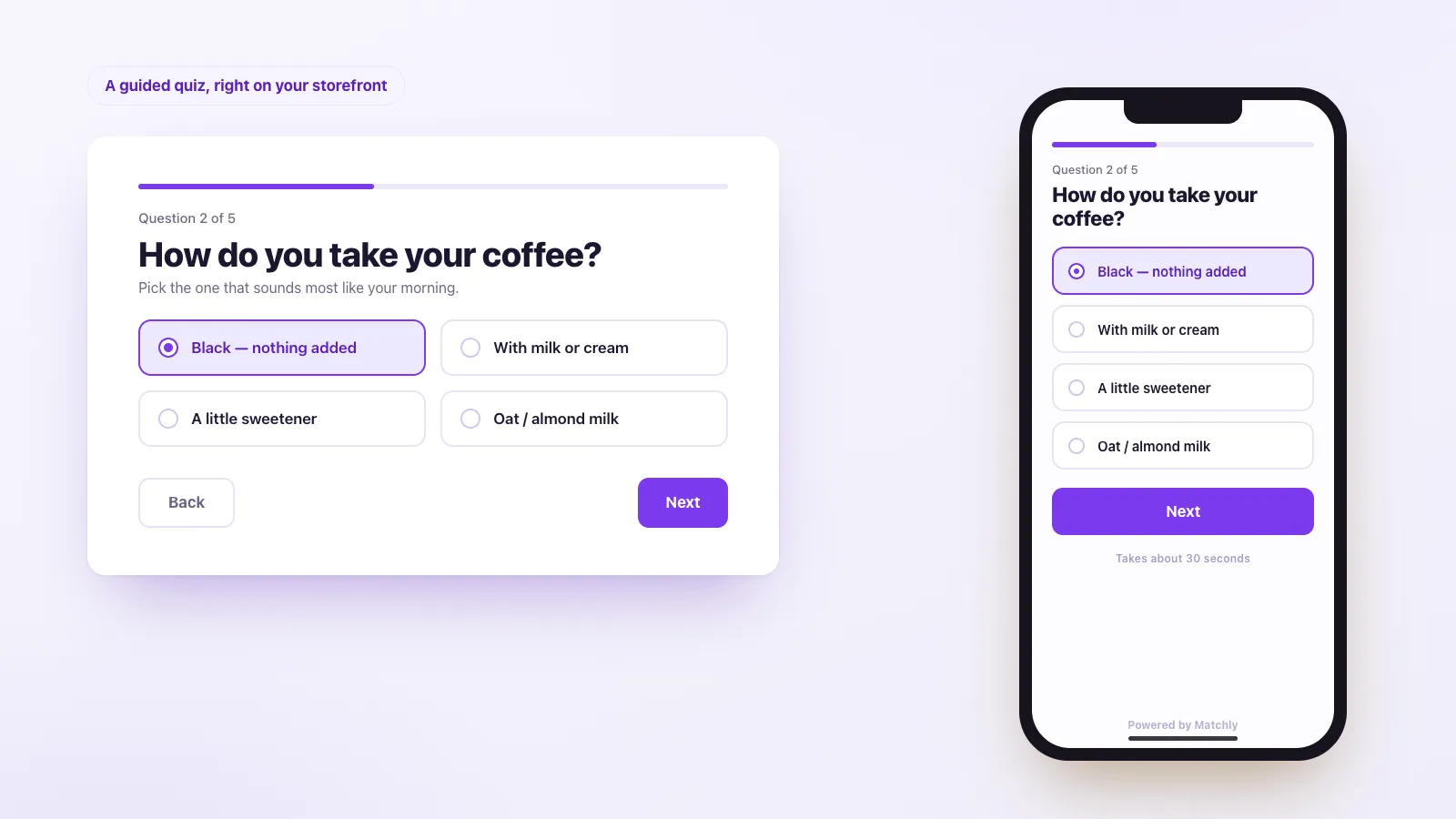
Everything you need
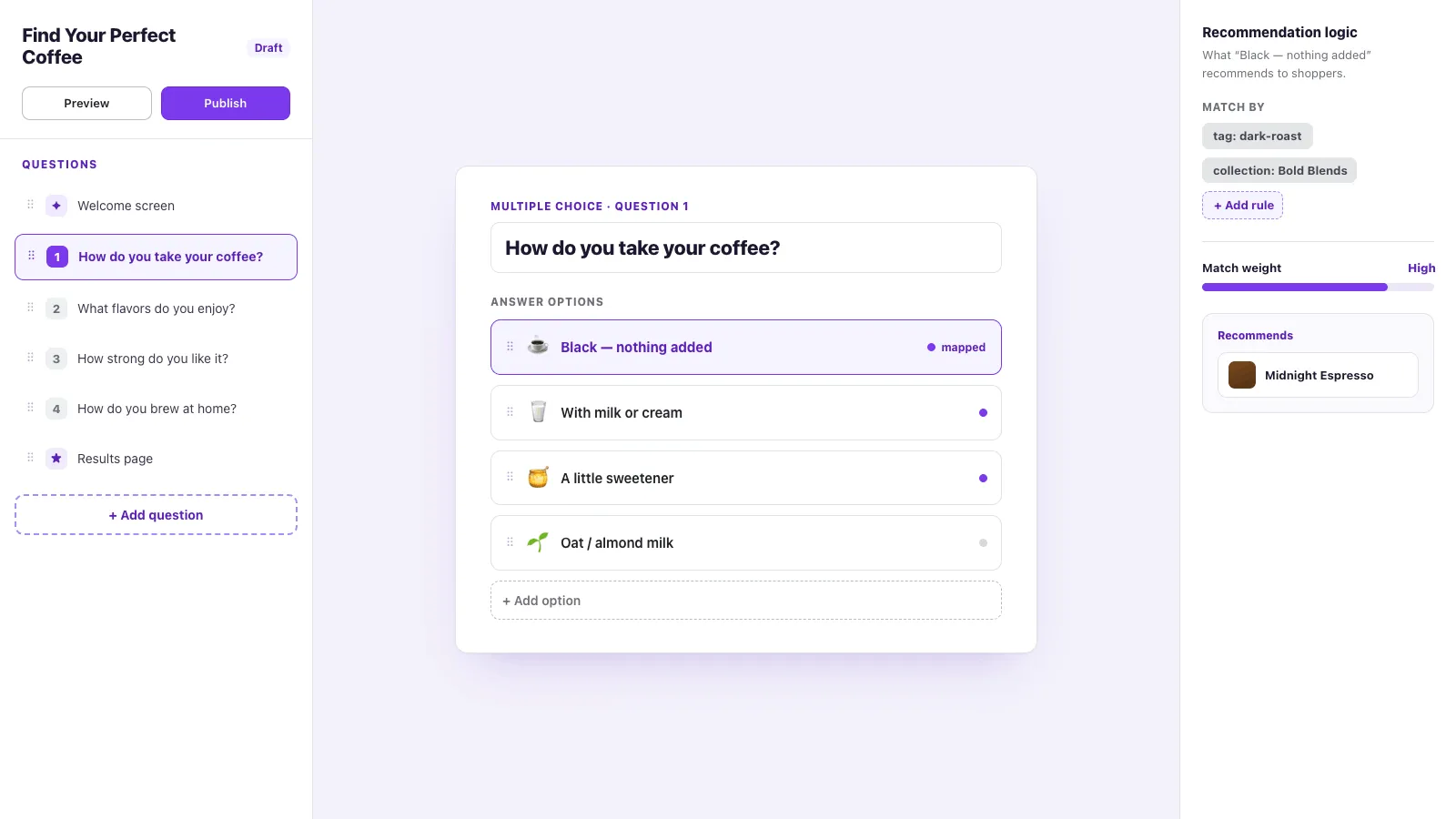
Drag-and-drop builder
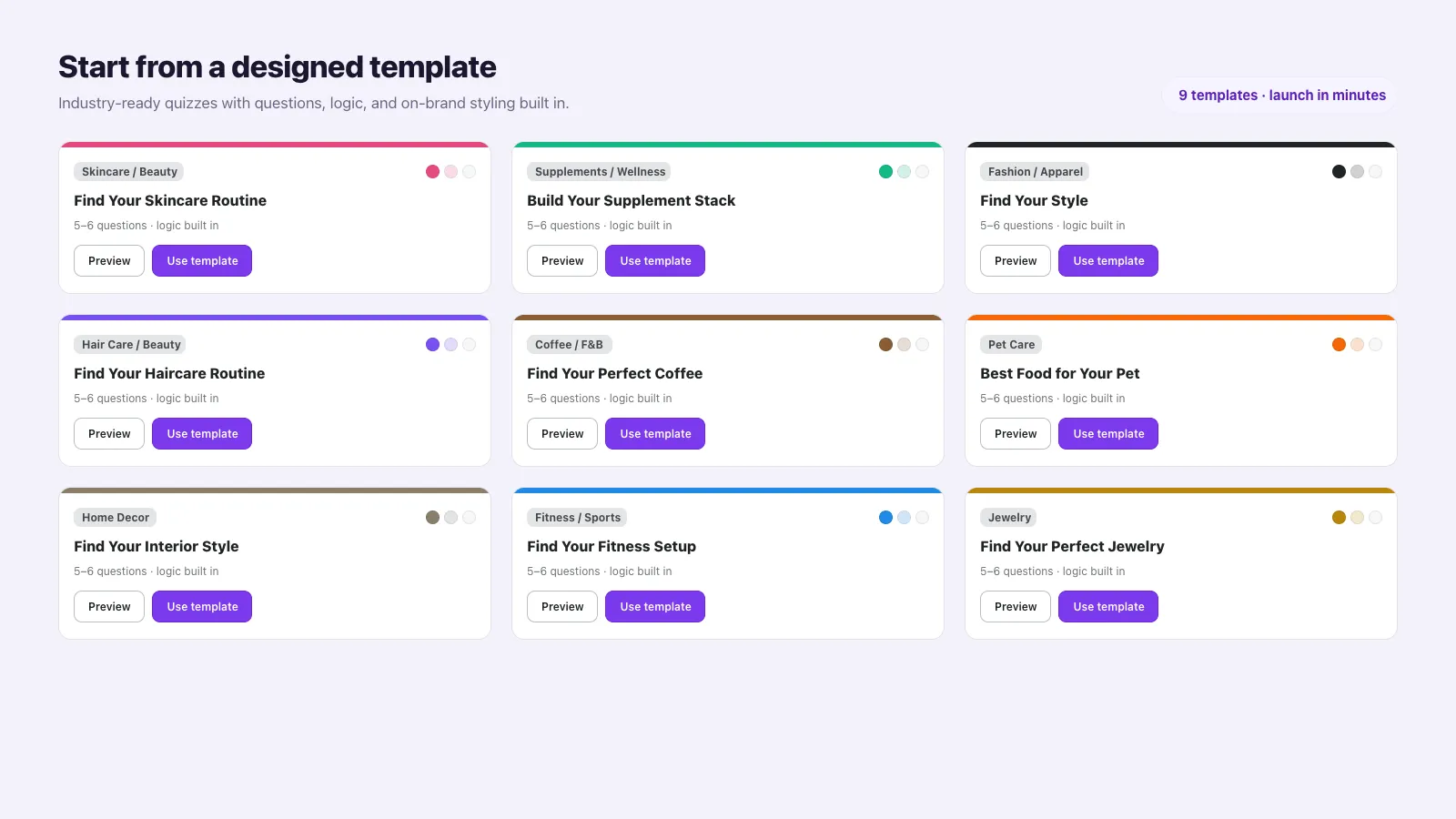
Create questions in the editor, reorder them, and start from a ready-made template instead of a blank quiz.
Conditional logic
Send an answer to a later question, or skip ahead to the results, so the quiz follows what the shopper just chose.
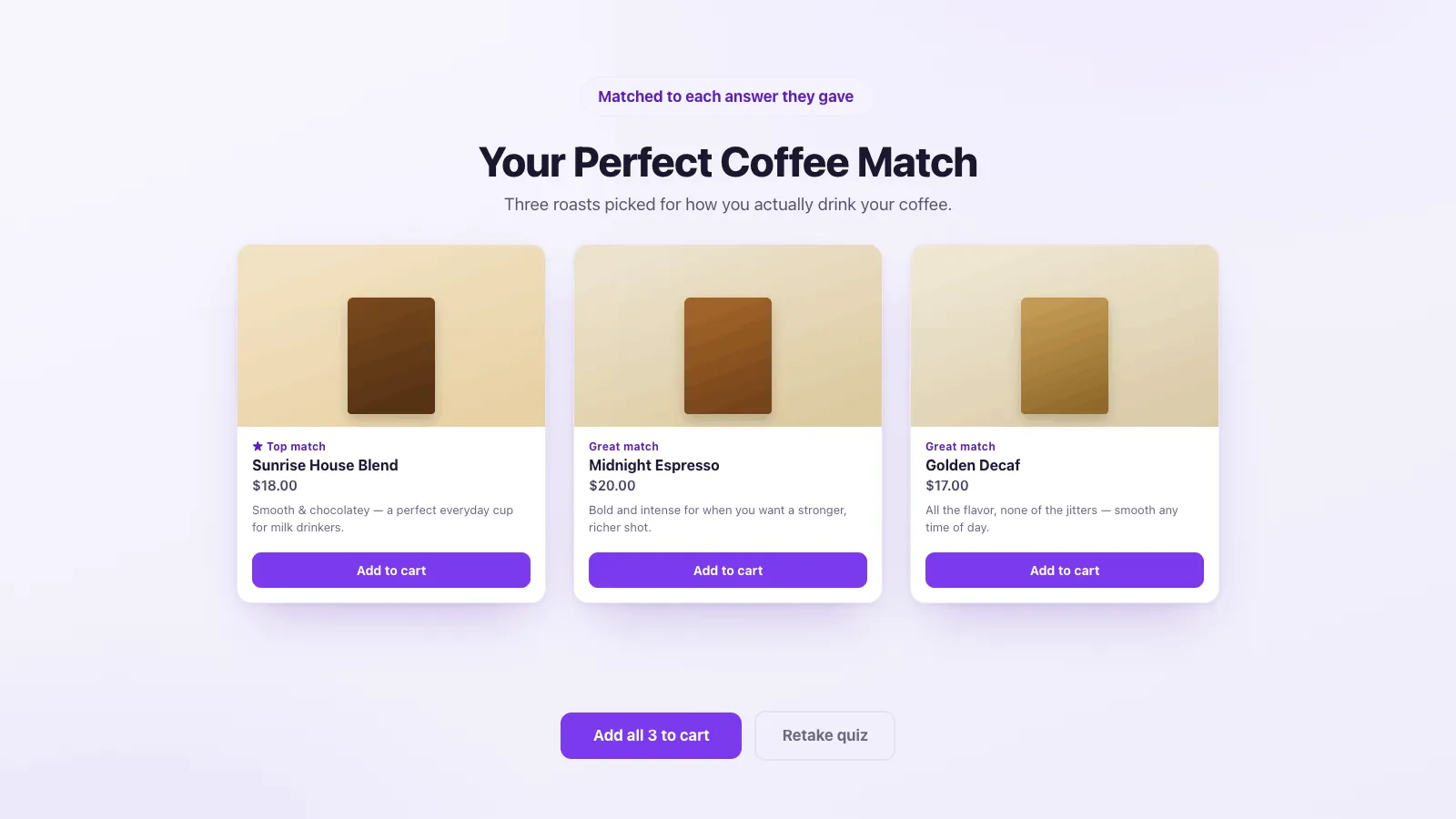
Product recommendations
Match an answer to product tags, a collection, or products you pick. A weight on a picked product ranks it higher.
Lead capture
Ask for an email, a name, or a phone number with built-in contact fields, including all three on one page.
Responses and revenue
Review each submission, then see completions, conversions, and revenue for every quiz and form.
See it in action
Simple, transparent pricing
Basic
Popular$4 /mo
- ✓ 3-day free trial
- ✓ $40 a year (save 17%)
- ✓ Quizzes, forms, and templates
- ✓ Conditional logic and product matching
- ✓ Email, name, and phone fields
- ✓ Responses, conversions, and revenue
What changed
Changes that matter when you use Matchly. A new note is added when something is ready for your store.
A question image can sit beside the text
- **Left** and **Right** on **Image Layout** place the picture next to the question instead of stacking it.
- Saving the quiz no longer clears edits you had not finished.
Rules for the result
- After scoring, a rule can show only certain products, pin them to the top, boost them, or hide them when a combination of answers is chosen.
- Give a hand-picked product extra weight on an answer so it ranks higher.
- Write a short reason shoppers can see for that rule.
- From the quiz list, **Preview** lets you pick answers and see the products and which rules fire.
Ask for a name, email, or phone
- Add an email, name, or phone field, or all three on one page.
- Email yourself when someone submits.
Responses and results
- Filter responses and see totals for the shop.
- See completions, conversions, and revenue for each quiz.
Several questions on one page
- Group questions so a shopper answers them together.
Frequently asked questions
Is there a free plan? +
No. There is a 3-day free trial, then one plan at $4 a month or $40 a year (save 17%). There is no free tier and no fee per response. Shopify bills the plan.
How does a quiz recommend products? +
Each answer can point at product tags, collections, or products you pick. A weight on a picked product ranks it higher. Outcome rules then pin, boost, hide, or replace that list when a combination of answers is chosen.
Can I collect leads without recommending products? +
Yes. Email, name, and phone fields work with no product mapping. Responses store what people submitted, and you can email your team when one arrives.
Do I edit the theme code? +
No. Add the Product Quiz block in the theme editor, or turn on the floating quiz button, and paste the quiz slug. A standalone page link is on the Embed tab.
What if nothing matches? +
On the result step, Strict shows only real matches and an empty state if there are none. Mix & match fills the page from your catalog only when nothing matched. Manual shows fallback products you pick, in that same empty case.
Can I see whether the quiz sold anything? +
Yes. Responses and Analytics show completions, conversions, and revenue for each quiz. A sale counts when the shopper buys from that quiz and the order is paid.
I changed a rule and the old result is still there. +
Run the test answers again in the admin. A published quiz uses the rules you saved, so publish after the test looks right.
Can one quiz collect an email and also recommend products? +
Set that on the quiz. If you only want a lead, do not also promise a product match on that same result screen.
The quiz still recommends products. +
The result is set to a product match. Switch that quiz to a lead if you do not want products on the result.
I cannot find yesterday's answers. +
Open responses and filter to the quiz. Totals for the shop are separate from one quiz's list.
Every answer still leads to the same product. +
The weights are even, or a rule after the quiz overrides them. Raise one weight, or change the rule, then test again.
The reason text is missing on the result. +
Write the reason on that match. A weight changes which product wins. It does not write the sentence.