 SubFlow
Manage subscriptions with automated billing.
SubFlow covers the subscription workflow so you do not run it by hand. Create selling plans in the Shopify admin and show them on the product page with a theme block, so customers can subscribe at checkout. Active subscriptions are billed on a daily schedule. Failed payments are recovered with dunning, and customers pause, resume, or skip a delivery from their account. The app is free. Build-a-box and optional rent-to-own are ways to sell a product, not prices for the app.
Everything you need
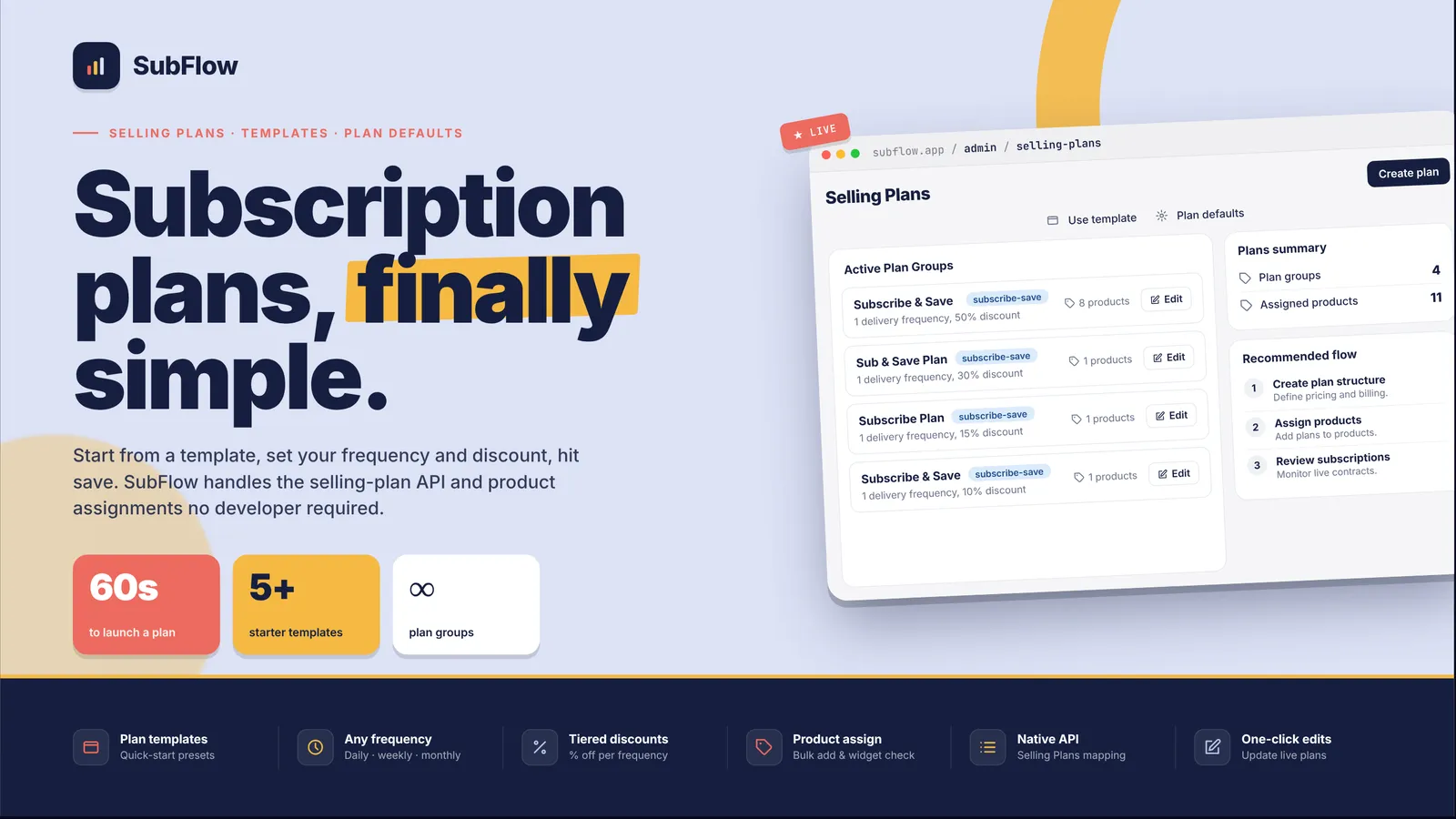
Selling plans
Create a subscription with a custom billing interval. It shows on the product page through a theme block, and the customer subscribes at checkout.
Automated billing
Once a subscription is active, charges run automatically on a daily schedule.
Dunning
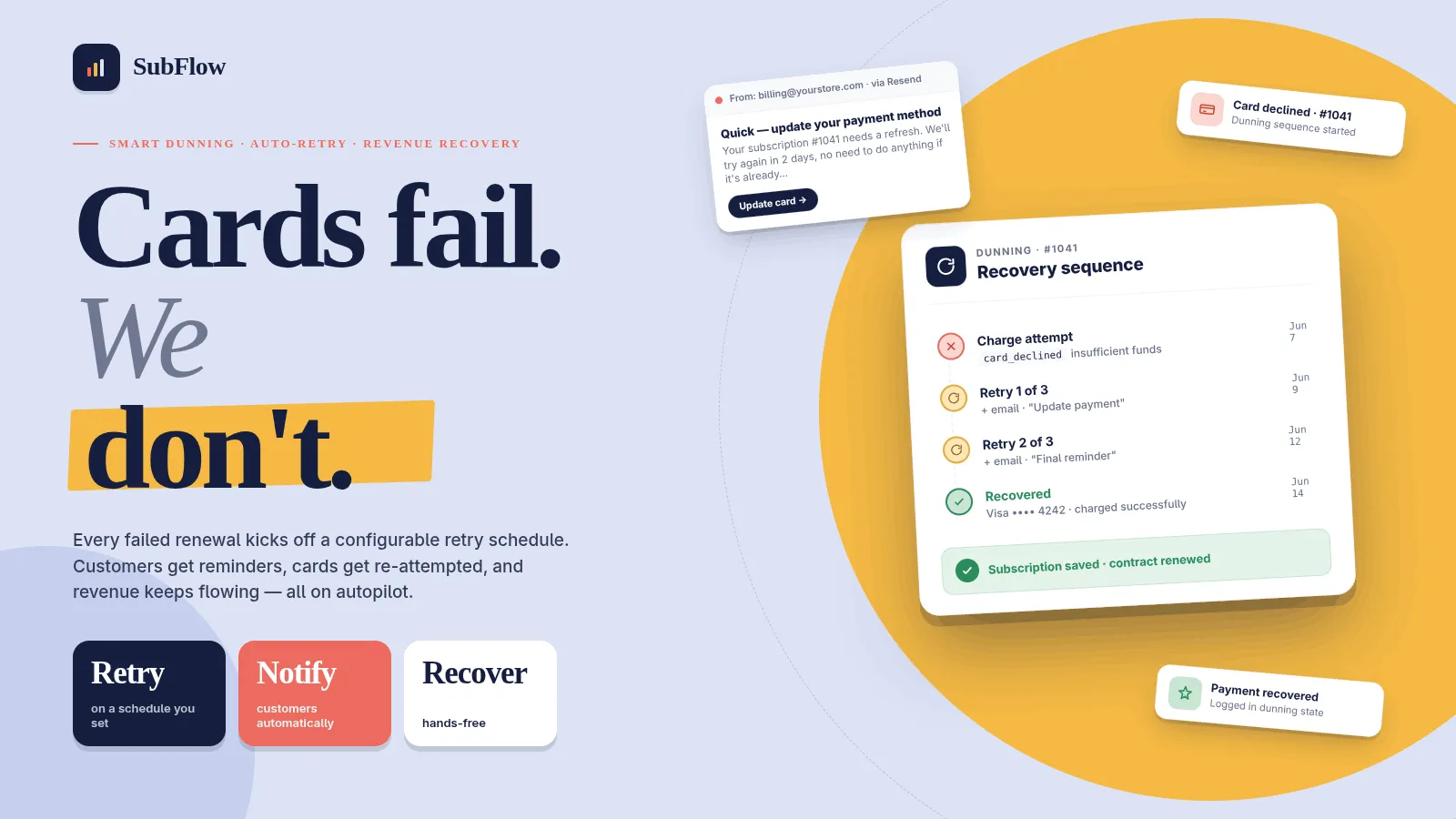
A failed renewal retries on days 1, 3, 5, 7, and 10, up to five attempts, with an email at each step. You choose whether it then pauses, cancels, or stays active.
Customer portal
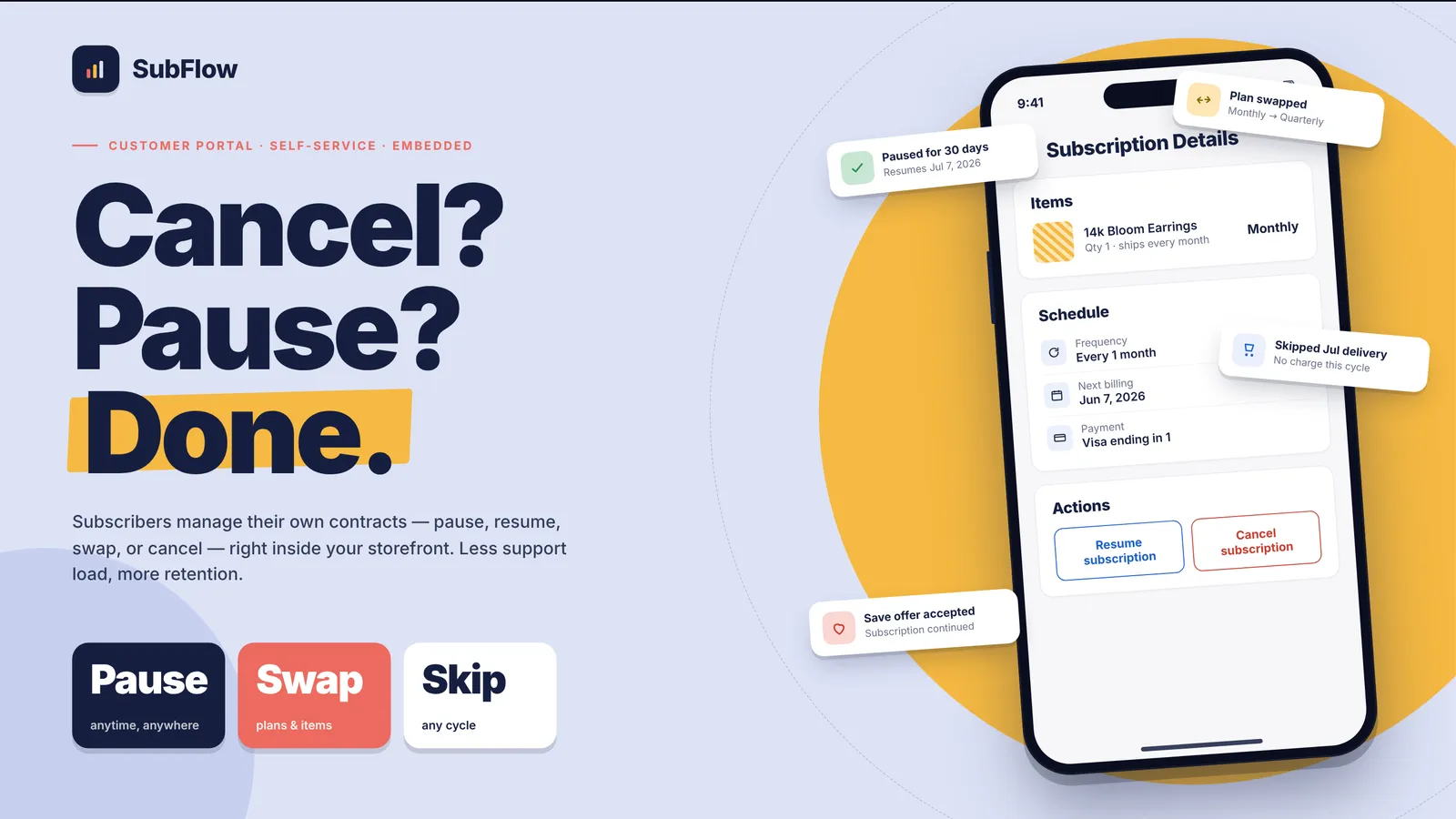
From their account, subscribers can pause, resume, or skip a delivery, and change how often it ships.
Cancellation reasons
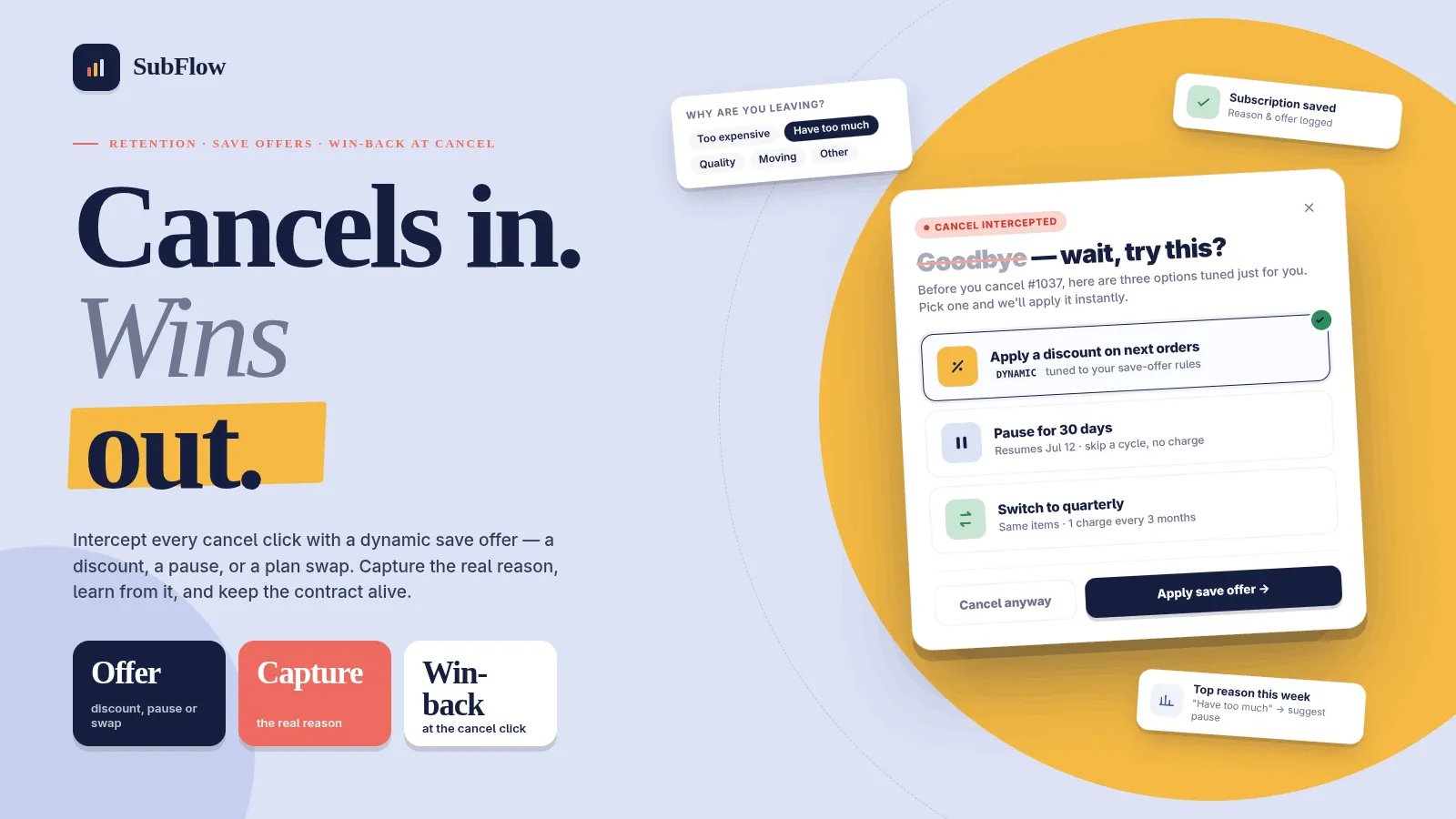
A customer who cancels picks a reason first. You can show a save offer on that step: a discount, a pause, or a skip.
Emails and reporting
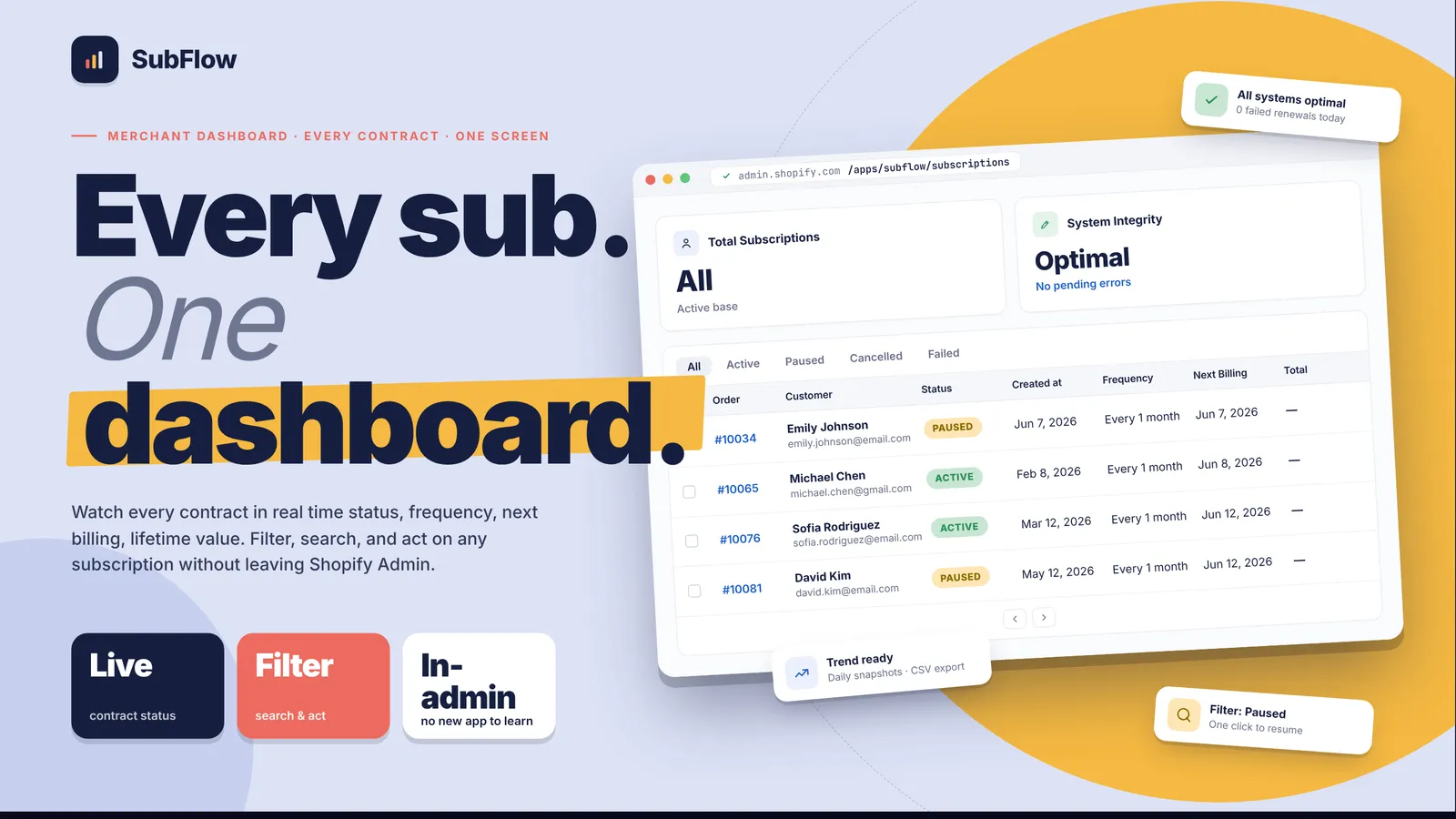
Automated emails cover upcoming renewals. The dashboard reports active subscriptions, monthly recurring revenue, churn, and failed payments.
Boxes and rent-to-own
Build-a-box lets a customer choose the products in a subscription box. Optional rent-to-own is a lease that can end in ownership, and it stays off until you turn it on. Neither is a price for the app.
See it in action
Simple, transparent pricing
Free
Popular$0
- ✓ No paid app plan
- ✓ Selling plans, daily billing, and dunning
- ✓ Customer portal, save offers, renewal emails, and reporting
- ✓ Build-a-box and optional rent-to-own are product features, not a charge
What changed
Changes that matter when you use SubFlow. A new note is added when something is ready for your store.
A note after a customer cancels
- Send a follow-up email after a cancellation, using the message you wrote.
Build-a-box subscriptions
- Sell a subscription that is a box of products.
- Open a subscription and see what is in the box.
When a subscribed product is out of stock
- Record a substitute for a product that is out of stock.
Update many subscriptions at once
- Pause, resume, or cancel several subscriptions from the list.
Rent to own, if you offer it
- Offer a lease that can end with the customer owning the product.
- Start from a ready-made agreement and edit it.
- The product page can show a monthly amount.
Frequently asked questions
What does SubFlow cost? +
The app is free. There is no paid plan. Selling plans, build-a-box, and optional rent-to-own are ways you sell products, not prices for the app.
How does a customer subscribe? +
Create a selling plan, attach at least one product, and add the Subscription Widget block on the product page. The customer subscribes at checkout. Renewals are billed on a daily schedule.
What can subscribers do from their account? +
They can pause, resume, or skip a delivery, and change the frequency. If they cancel, they pick a reason. When you have written a save offer, they see it before the subscription ends.
What happens when a renewal fails? +
Dunning retries on days 1, 3, 5, 7, and 10, up to five attempts, and sends an email at each step. You choose whether the subscription then pauses, cancels, or stays active.
What if a subscribed product is out of stock? +
You can record a substitute for that product. Recording a substitute does not mean the subscription changes on its own.
Does recording a substitute change the customer's box? +
No. It records what you want to use. The subscription does not change on its own.
When does the customer get charged again? +
On the schedule of the selling plan. Failed renewals retry on the days you set, and you choose whether the subscription then pauses, cancels, or stays active.
The customer got two emails. +
The save offer and the follow-up are different messages. Turn off the one you did not mean to send.
Can I pause a group of subscriptions? +
Yes. Select them on the list, then pause, resume, or cancel that set.
Skip cancelled the subscription. +
Skipping moves the next date. Cancelling ends it. Open the subscription and resume it if the test used the wrong action.
The customer cannot find skip. +
They need to be signed in on the account page for that subscription. The widget on the product page is for starting, not for skipping.