 Workify
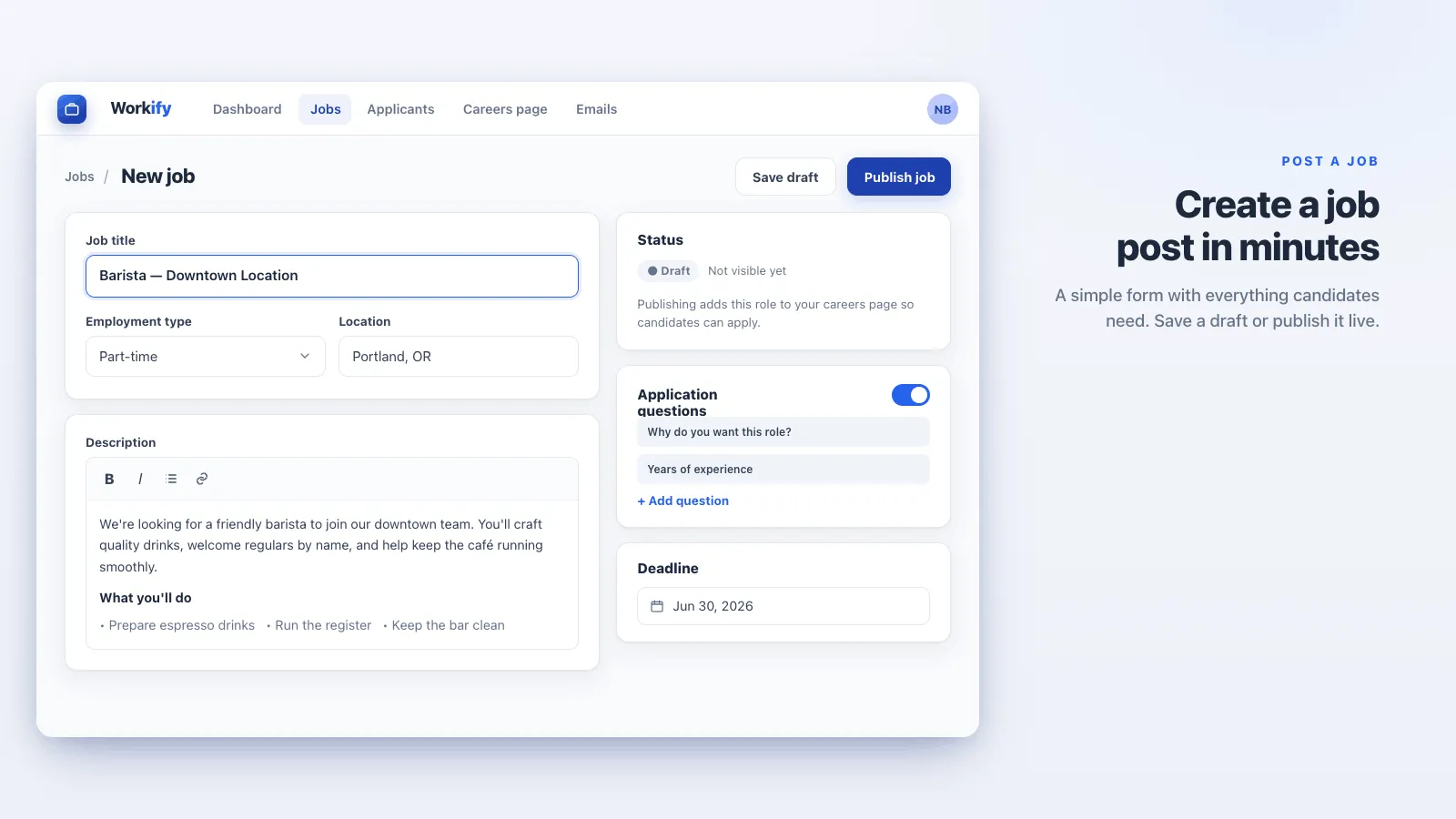
Post jobs and collect applications directly on your store with no extra pages.
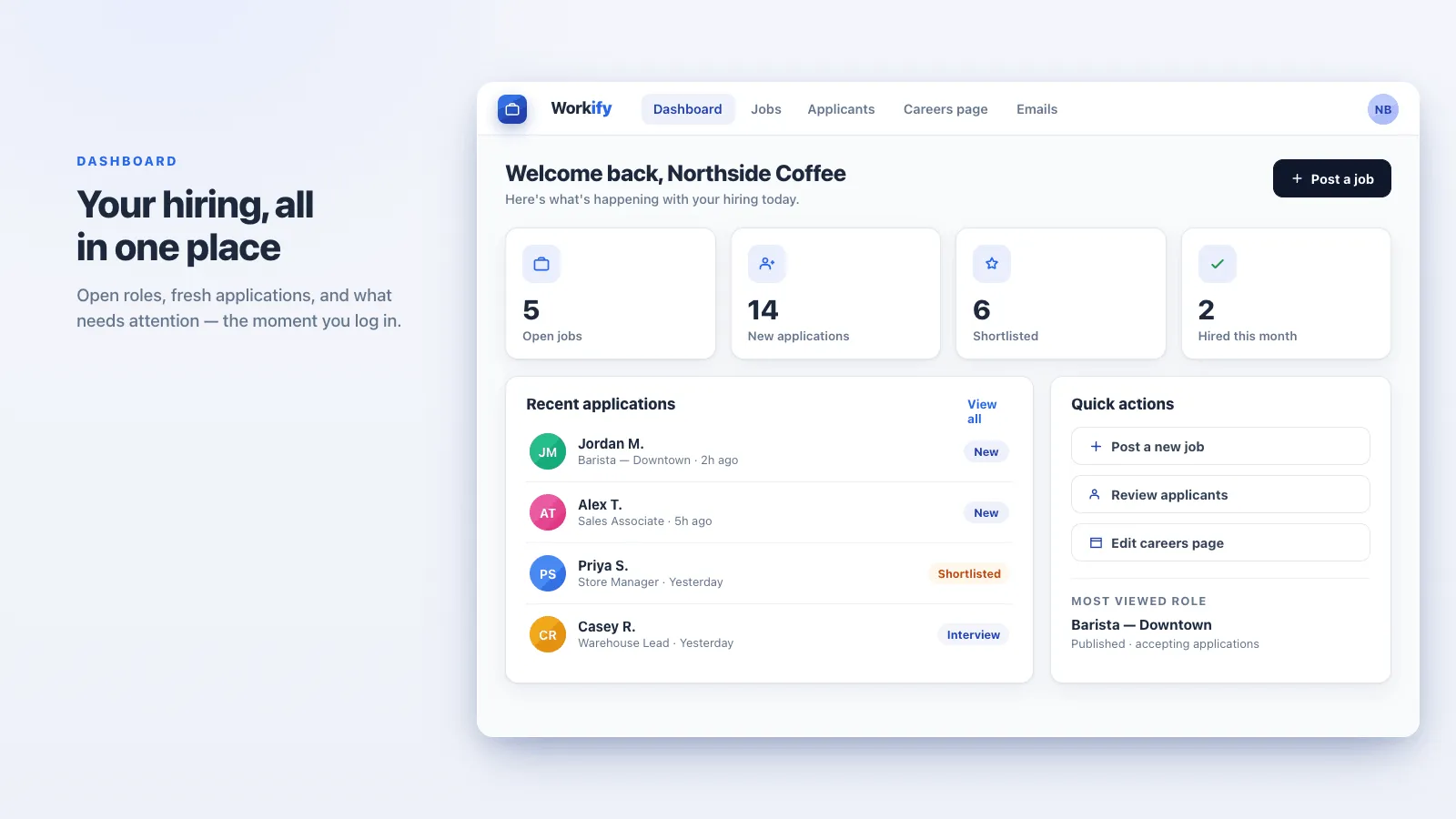
Workify enables merchants to create custom job postings and receive applications directly on their Shopify store. With an intuitive dashboard, you can easily review, accept, or reject candidates and track every application. Workify streamlines recruitment, saving time and helping you find the needed talent. Just drop the extension anywhere in your theme and start hiring from your store.
Everything you need
Publish job listings
Publish job listings directly on your store with a simple, flexible setup.
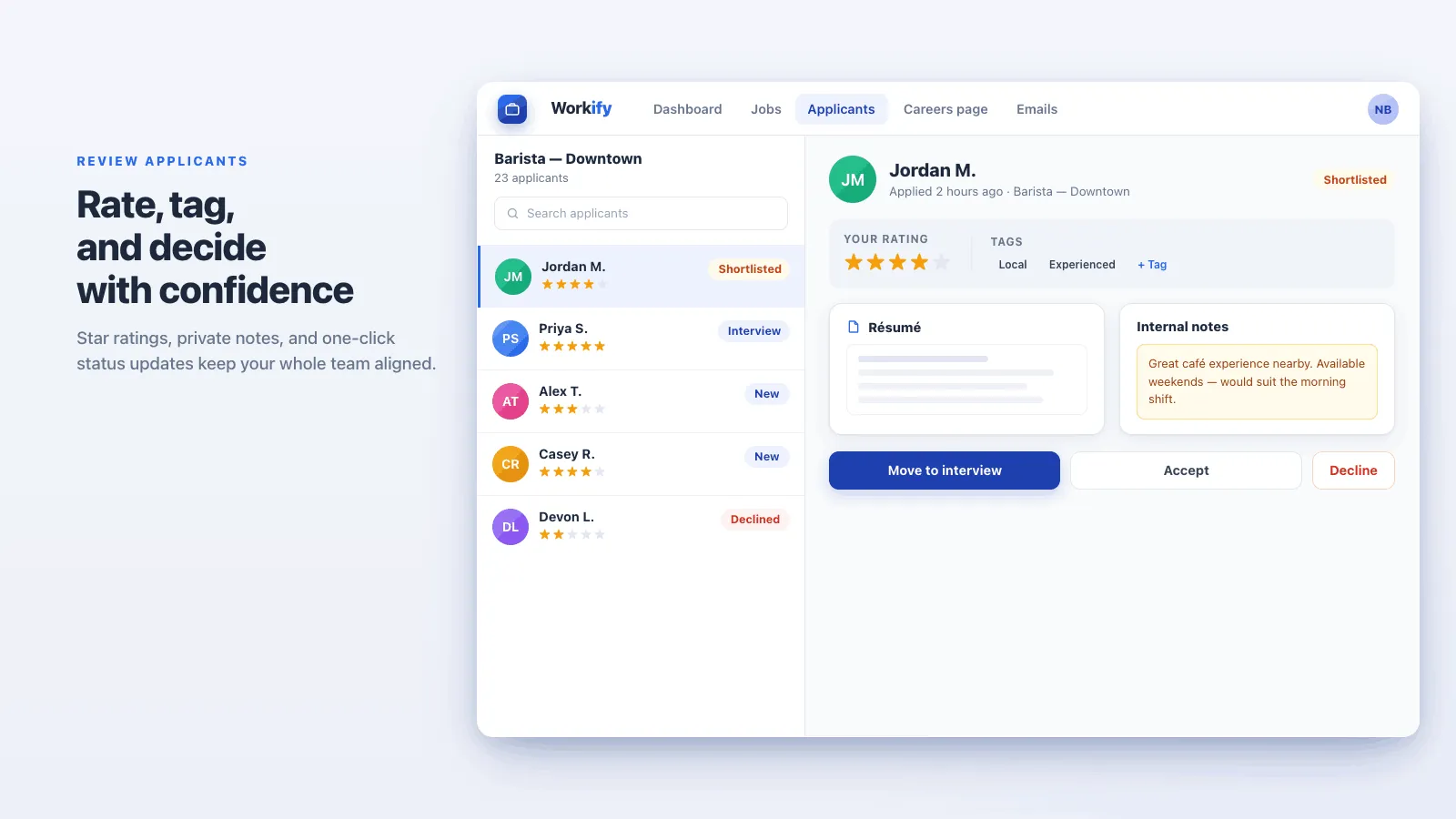
Manage applications
Review candidates from a clean dashboard and accept or reject them without a spreadsheet.
Track applicants
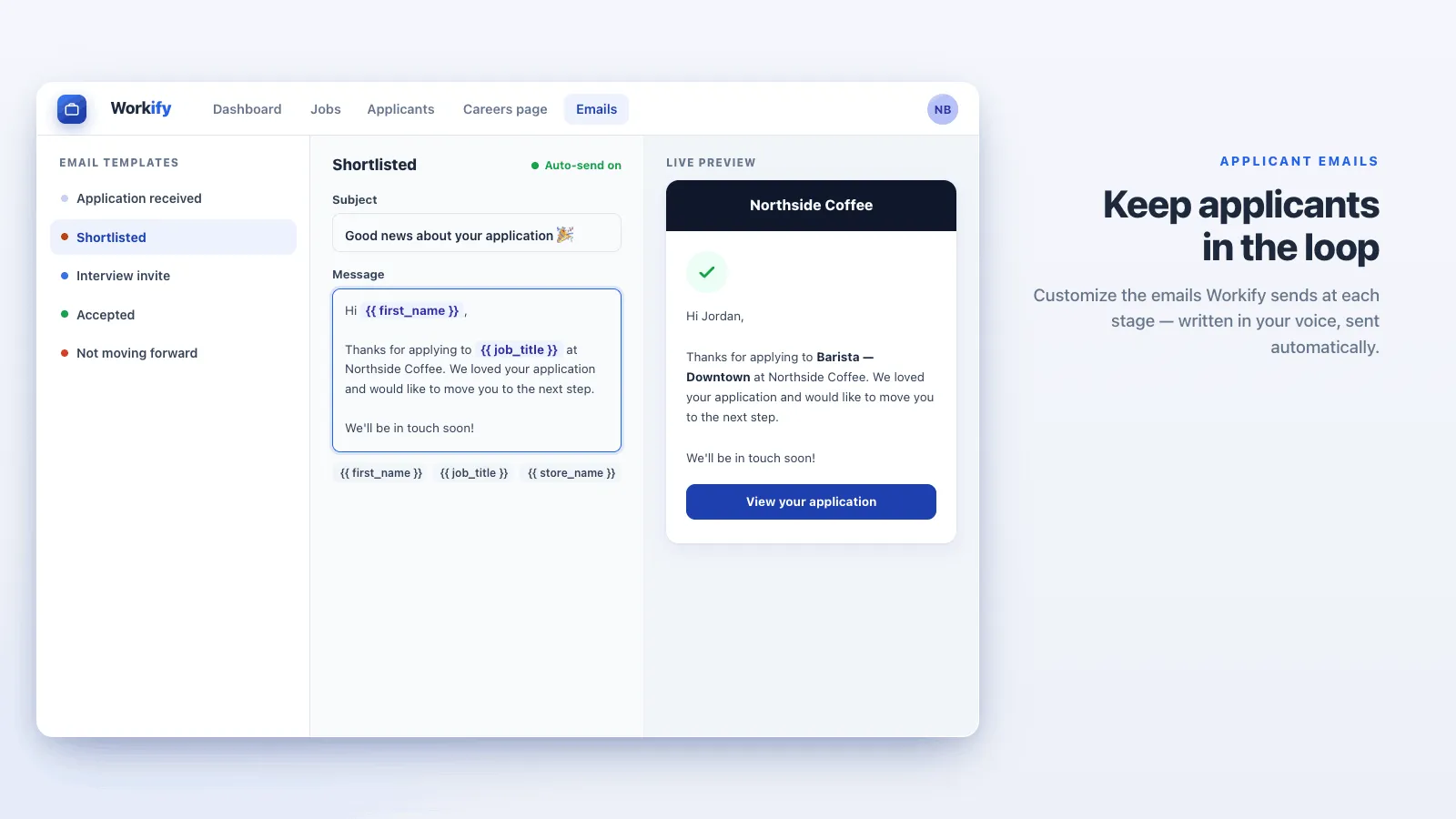
Message applicants and track their progress from first contact to final hire. Email is included on Plus and Business. Basic does not send email.
Custom questions
Ask one custom question on Basic, or unlimited custom questions on Plus and Business.
A careers page in your theme
Drop the extension anywhere in your theme. Plus and Business can customize the job page. Basic uses the standard design.
Employers on Business
On Business, other organizations can join as job board members, submit jobs for your approval, and use a self-service employer portal.
See it in action

Loved by merchants
“This app has been a great addition to our website and has made managing job postings much easier. The features are flexible, the setup has been smooth, and the app continues to improve based on real user needs. Great app, excellent support, and a team that actually listens to feedback.”
Simple, transparent pricing
Basic
$4.99 /mo
- ✓ 1 job posting
- ✓ 1 custom question
- ✓ Unlimited applications
- ✓ No emails
- ✓ Standard job page design
- ✓ Basic support
- ✓ 3-day free trial
Plus
Popular$9.99 /mo
- ✓ Unlimited job offers
- ✓ Unlimited custom questions
- ✓ Unlimited applications
- ✓ Advanced analytics
- ✓ Customizable email templates
- ✓ Customizable job page design
- ✓ Unlimited email notifications
- ✓ Priority support
- ✓ $90/year, save 25%
- ✓ 3-day free trial
Business
$89 /mo
- ✓ Everything in Plus
- ✓ Employers and job board members
- ✓ External organizations submit jobs for approval
- ✓ Self-service employer portal
- ✓ Membership and job-submission forms
- ✓ Premium support
- ✓ $209/year, save 80%
- ✓ 3-day free trial
What changed
Changes that matter when you use Workify. A new note is added when something is ready for your store.
A company logo when an employer registers
- An employer adds a logo when they register, and it is attached to their jobs.
Pay as an amount and a period
- Show pay as an amount and a period, instead of one free-text line.
Clearer job listings
- A job can include a city, a state, and a formatted description.
- Add a company logo on the listing.
- Filter the job list by company.
Forms you control
- Add, hide, relabel, or stop requiring fields on the application, membership, and job forms.
- The form you use to post a job matches the form an employer uses to submit one.
Hired roles, and how new employers join
- Mark a role as hired when it is filled.
- Choose whether a new employer is approved on their own, or waits for you.
Approve a job before it goes live
- Review a job from an employer, then approve it or reject it.
- They receive an email either way.
Frequently asked questions
Where do candidates apply? +
On your store. Add the Workify section in the theme editor. There is no separate careers site to maintain.
Can I customize the application form? +
Yes. Basic includes one custom question. Plus and Business include unlimited custom questions, and you can edit the application form.
How many applications can I collect? +
Unlimited applications on Basic, Plus, and Business.
What does Workify cost? +
Basic is $4.99 a month for one job posting, with a 3-day trial. It is not a free plan. Plus is $9.99 a month, or $90 a year. Business is $89 a month, or $209 a year. Every plan has a 3-day trial, and Shopify bills the charge.
Can other companies post jobs? +
On Business, yes. Outside organizations can become job board members, submit jobs for your approval, and use the employer portal. Workify does not offer a public marketplace where job seekers post that they are looking for work.
The employer says they never got the decision. +
Check the email on their registration, then send the decision again from the job. Approvals and rejections both send mail.
Can I post a job myself? +
Yes. You can create the job in the admin. Approval is for jobs an employer submitted.
I hid a field and it is still on the form. +
Save the form, then open the storefront in a private window. A tab you already had open can show the old form.
Can pay be an amount and a period? +
Yes. Use the amount and the period instead of one free-text line.
The job is still on the storefront. +
Confirm you saved the hired status, then reload the careers page in a private window.
Do applicants get an email when I mark it hired? +
The approval and rejection emails go out when you decide on a submission. Marking the role hired takes it off the public list.
Ready to try Workify?
Post jobs and collect applications directly on your store with no extra pages.